Icon of program: Paint S

Paint S for Mac

  • Free
  • 3
    154
  • 31.3K
  • V5.7.18

Free Tool for Budding Artists

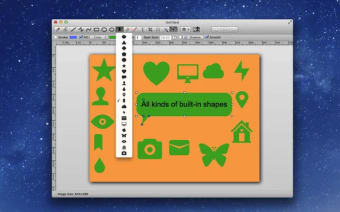
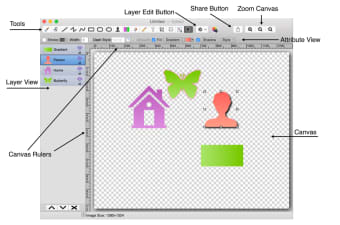
Paint 2 is a special app that has been created as the free version of Paint Pro. The app provides users with a whole host of different tools that are designed to make creating different types of digital art a breeze.

Time to Get Creative

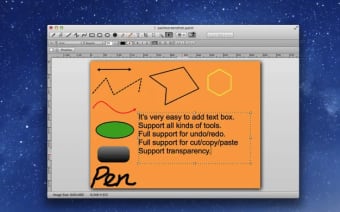
As promised, Paint 2 is easy to use and most of the tools that are available are fairly intuitive. Users are also provided with email support that is sure to help iron out any issues or teething troubles they may experience. In addition to drawing, painting and editing their artwork, the programme also makes it possible to add text to different designs so that they can make signs, logos and a range of other things, although certain tools need to be paid for separately before they can be used.

Art at Your Fingertips

People who are looking for an easy and fun way to create art using their computer are likely to find that this is a very useful tool. However, it should be noted that only Mac users will be able to take advantage of Paint 2 and anyone who is using another type of operating system will need to search for another types of solution for their artistic impulses.
  • Pros

    • Free to download and use
    • Large number of tools available
  • Cons

    • Only compatible with Macs
    • Heavy emphasis on in-app purchases
 0/3

App specs

  • License

    Free

  • Version

    5.7.18

  • Latest update

  • Platform

    Mac

  • OS

    Mac OS X

  • Language

    English

  • Downloads

    31.3K

    Last month's downloads

    • 51
  • Developer

Program available in other languages


Icon of program: Paint S

Paint S for Mac

  • Free
  • 3
    154
  • 31.3K
  • V5.7.18

User reviews about Paint S

3

1 reviews

Add review

Main reviews for you

  • Anonymous user

    Paint 2 is very good for people just starting in drawing.. I think Paint 2 is a very good drawing tool for beginners. It doesn't need any expensive tablets or any sort of perfection in drawing squares, circles, ovals, etc. Pros: I think it is very easy to use. Cons: The fill tool is quite confusing.

More

You may also like

Alternatives to Paint S

Explore Apps

Latest articles

Laws concerning the use of this software vary from country to country. We do not encourage or condone the use of this program if it is in violation of these laws.
Softonic

Is Paint S safe?

100/100

Score result: Clean

This app is available directly from the official App Store. Since the official app stores maintain their own rigorous security standards and review processes, we rely on their trusted distribution platform rather than performing additiona scans. You can download with confidence knowing this comes straight from the verified source.

  • Virus free
  • Spyware free
  • Malware free